

How to send messaging requests to Interpage: FTP Access
Back to Main | Messaging/Paging Svcs | Fax Svcs | TAP/Paging Dispatch | Voice Svcs | Other Svcs | Service Trials | Signup
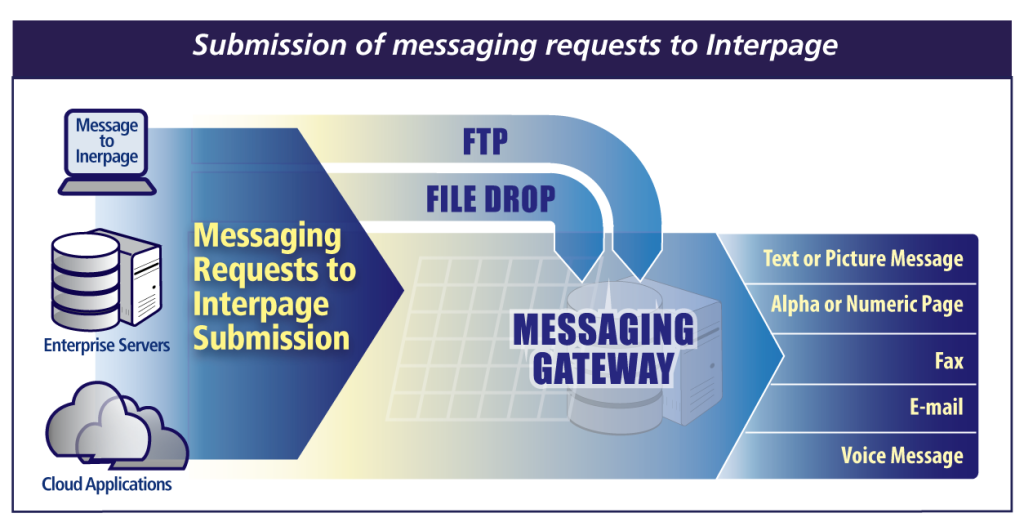
Interpage offers E-mail, FTP/file-drop, Web-based, and Telephone-based methods to submit messaging and other dispatch requests.
FTP and file drop allows customers to submit dispatch requests by use of the FTP protocol into a private, customer-specific FTP account, or into a customer-specific file directory on Interpage’s dispatch server, which in turn trigger a message or other action to take place. Both the FTP and file drop methods may be optionally placed on a specific, Interpage-assigned IP on one of Interpage’s IP ranges to only allow
access from pre-determined sites, servers and remote IPs.
As with all Interpage messaging products, detailed confirmations are returned, with both a “queue” confirmation indicating that a message dispatch request was received, and a “send” confirmation after a message is properly sent (or failed to send, with reasons for the failure).

Copyright © Interpage Network Services Inc.